Customizable Guest WiFi Is A Small Upgrade with Big NOI Impact
What Is a Guest Network for Apartments?


Most renters ask about internet speed before they ask about parking. When the connection fails during move-in week or slows to a crawl at night, frustration builds quickly. If you’ve ever tried to get online in a new unit, or managed a flood of internet-related support tickets, you know the pattern. The good news: most apartment WiFi problems are predictable, and fixable.
This blog breaks down what typically goes wrong in multi-dwelling units (MDUs) and what residents and property managers can do about it. Many properties address these issues with managed WiFi solutions for apartment communities that centralize performance and support.
In 2026, residents rely on WiFi for remote work, streaming, school, gaming, and video calls. A weak connection inconveniences people and disrupts their daily routines. From a leasing standpoint, buildings that advertise reliable, high-speed internet, aligned with the broadband speed guidelines published by the FCC, often convert tours into signed leases faster. Buildings with recurring WiFi complaints struggle with renewals and online reviews.
Older wiring or underpowered routers weren’t designed for the load of today's increased Internet demand. As device counts rise, networks that once felt “fine” start to fail under pressure. A typical apartment may have:
Apartment connectivity issues usually fall into a few categories.
In dense buildings, dozens of routers compete on the same channels. These overlapping signals cause:
Concrete, brick, metal framing, and plumbing stacks further weaken signals between rooms.
Legacy coax or outdated Ethernet backbones limit performance. Even if residents pay for high-speed plans, the building’s infrastructure may cap real-world speeds. Peak-hour slowdowns are often a sign of shared bandwidth bottlenecks.
New tenants expect to connect on day one. Instead, they may face:
A stressful WiFi setup can compromise the entire move-in experience. Providing residents with direct access to apartment internet setup and support resources can significantly reduce onboarding frustration.
When internet issues arise, residents often don’t know whether to contact:
Unclear responsibility leads to delays and frustration. Establishing a clear support pathway, such as a dedicated resident internet support contact page, helps resolve issues faster.
Reducing friction at move-in prevents most complaints. Every welcome packet, digital and printed, should include:
Centralized systems allow residents to activate service through a portal instead of installing their own hardware. The benefits of this approach include: instant activation, remote troubleshooting, easy credential resets and easier deactivation.
Property-wide bulk internet services for MDUs eliminate router overlap, improve reliability, and create a more consistent resident experience.
During high-turnover weeks, designate a virtual or on-site support contact. Even a temporary “WiFi help hour” can dramatically reduce negative reviews. Offer chat or live SMS chat help.
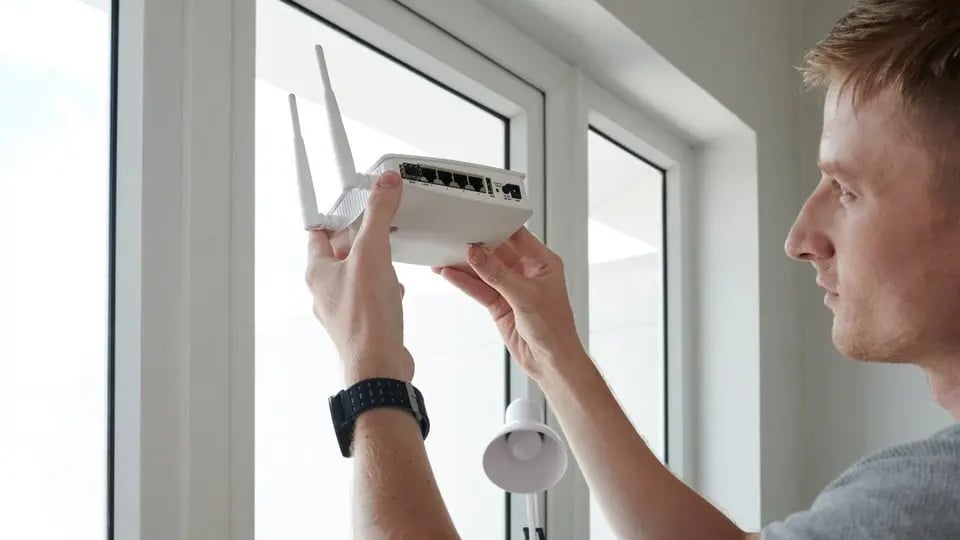
For persistent performance issues, infrastructure adjustments may be required.
Where available, fiber connections dramatically improve speed and stability. Even partial backbone upgrades, such as improved distribution wiring, can relieve congestion.
Encouraging or configuring devices to use the 5GHz band (or even better 6Ghz band on WiFi 7) reduces crowding on 2.4GHz networks. Proper channel planning while following wireless standards maintained by the IEEE Standards Association minimizes interference between floors and adjacent units in managed networks. Automatic channel optimization tools can adjust performance in real time, ensuring residents see minimal performance differences during high use times of day.
Separating high-bandwidth entertainment traffic from IoT devices improves reliability. This setup should include:
This structure increases both performance and security. Planning for connected devices is easier when networks are designed with IoT-ready apartment internet infrastructure in mind.
Shared environments require stronger protections. Best practices include:
If speeds consistently drop during peak hours, the issue is likely building-wide, not device-specific. Before submitting a ticket, residents can try:
Most WiFi “problems” in apartment buildings aren’t random, and they’re the predictable result of interference, aging infrastructure, and unclear support ownership. The fix isn’t one magic router, but a repeatable system: a network designed for density, a move-in experience that works on day one, and a support path that doesn’t bounce residents between three different parties.
If you’re a resident, run the quick checklist above, note whether issues happen during peak hours, and report patterns (time of day and where in the unit), so the right team can diagnose building-wide congestion vs. an in-unit setup issue.
If you’re a property manager or owner, the fastest way to cut tickets and protect reviews is to standardize onboarding, eliminate router overlap, and centralize monitoring and support so your staff isn’t stuck playing “ISP helpdesk” during move-ins.
If you’re ready to turn internet into a true amenity, with frictionless sign-on, property-wide coverage, and 24/7 resident support, explore our Managed WiFi for MDUs or start a conversation at (844) GET-DOJO.
We’re Here to Help Through Top of the Line Technology And Professional Support.